Explore
See the building, its surroundings and the exact unit.
١
The complete 3D sales system for real estate developers. Let buyers explore their future home before it is built.
The platform in motion
See the building, its surroundings and the exact unit.
١Choose furniture, walls and floors inside the home.
٢View availability and connect with the sales team.
٣The buyer experience
Open a WhatsApp link. No app needed. VR supported.
Buyers start at street level and see the development in its real surroundings, just as a visitor would.
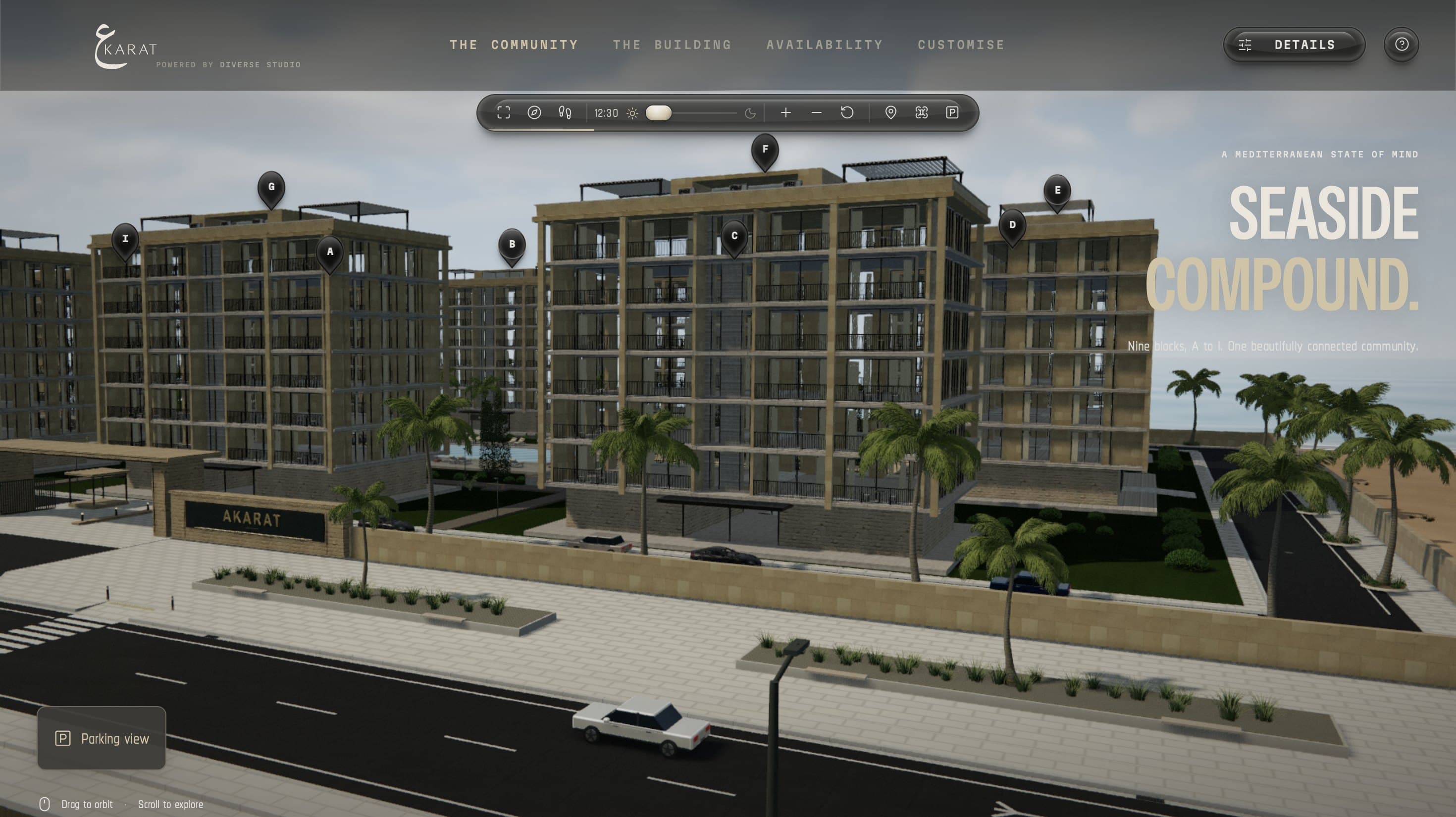
Orbit the site from above. Every block, the pool, the gardens and the beach sit together in one view.
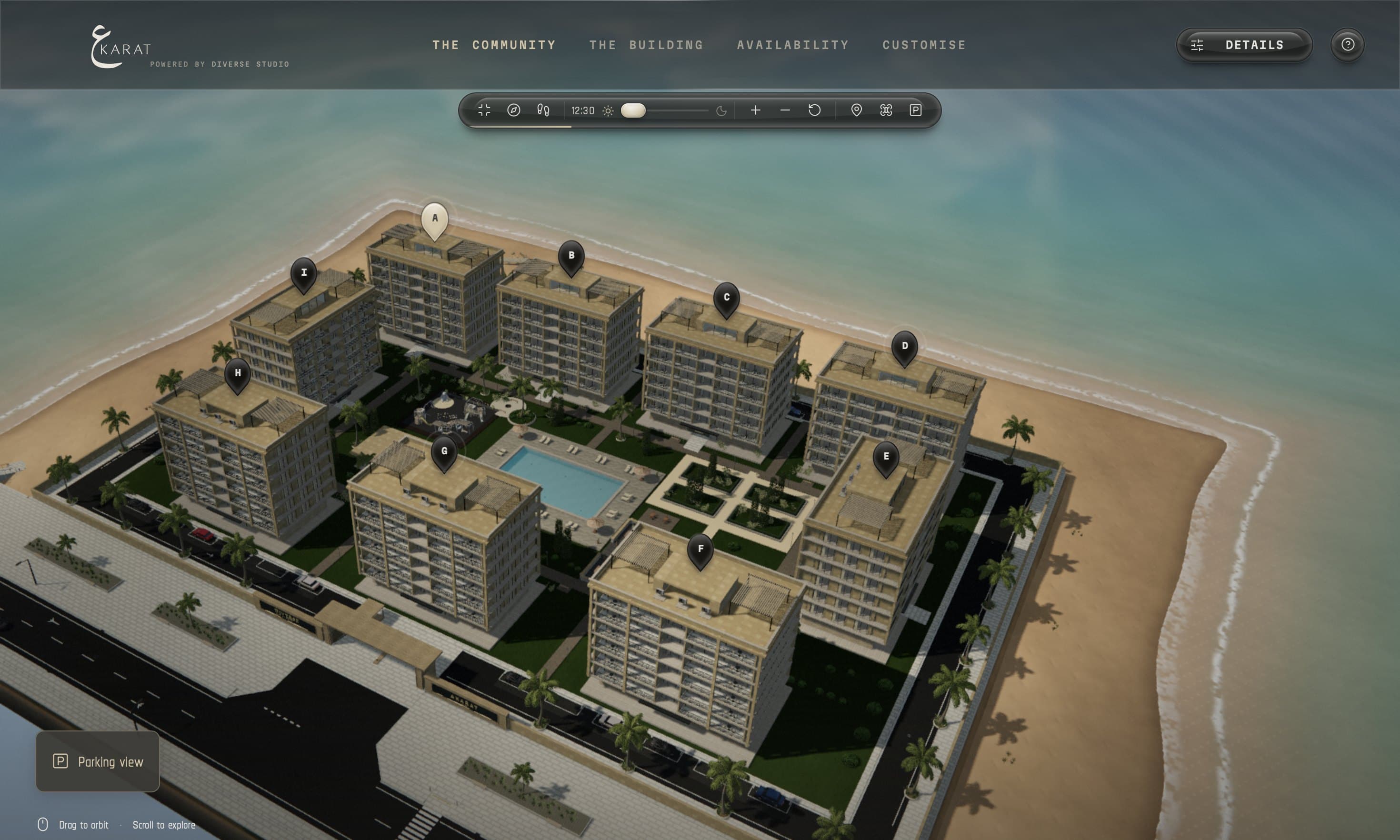
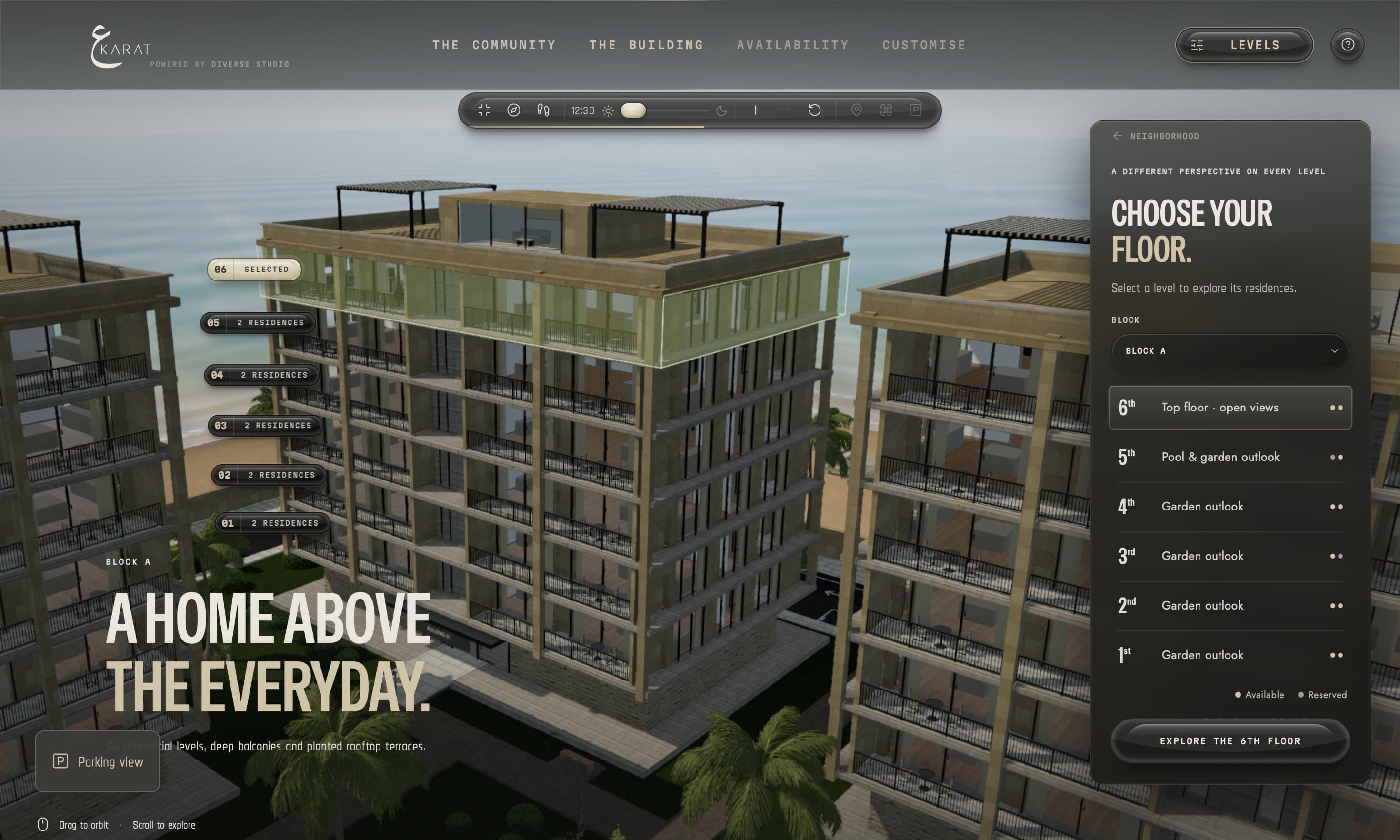
Pick a block, then a level. Each floor shows its outlook and how many residences are still available.
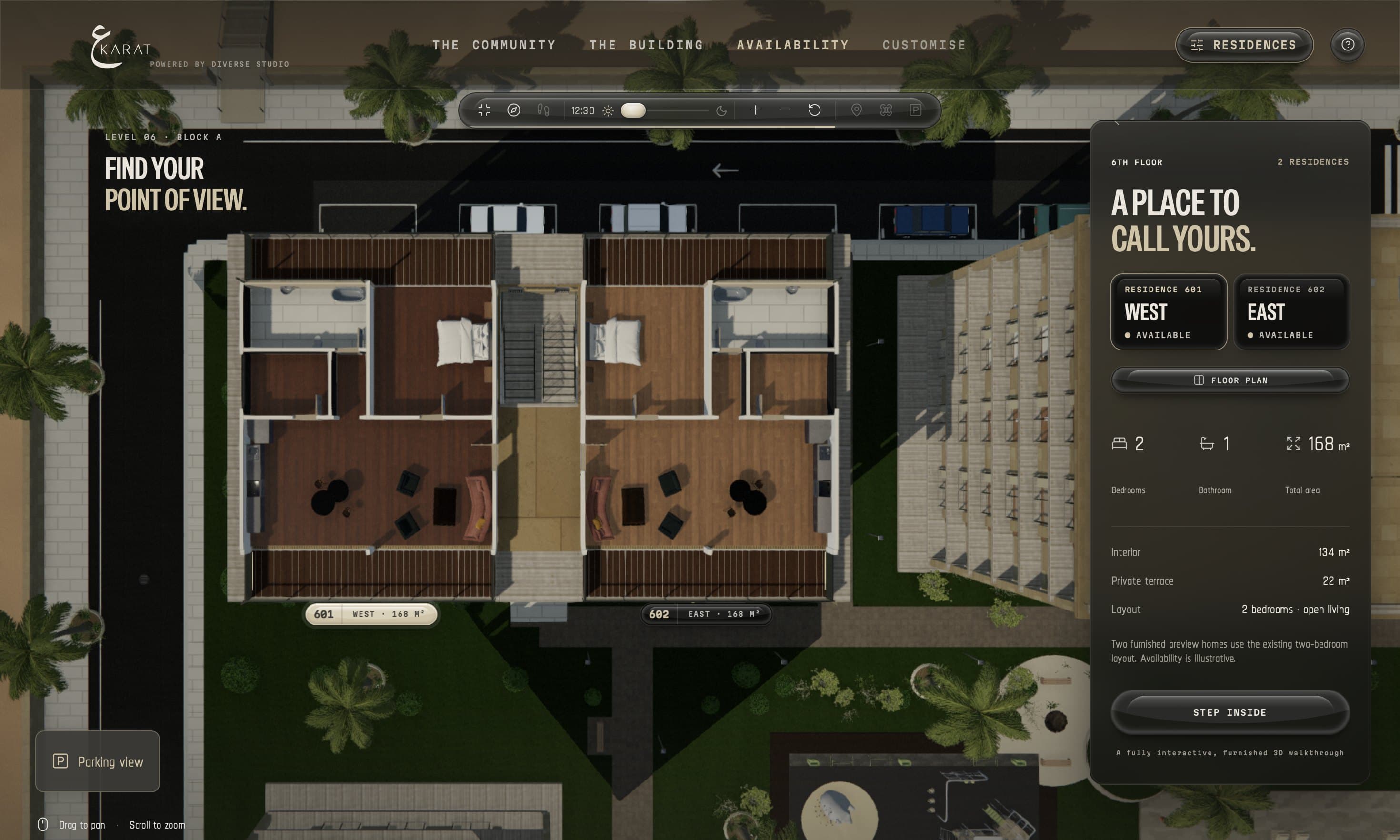
Compare the homes on a floor by orientation, size and availability, then open the floor plan.
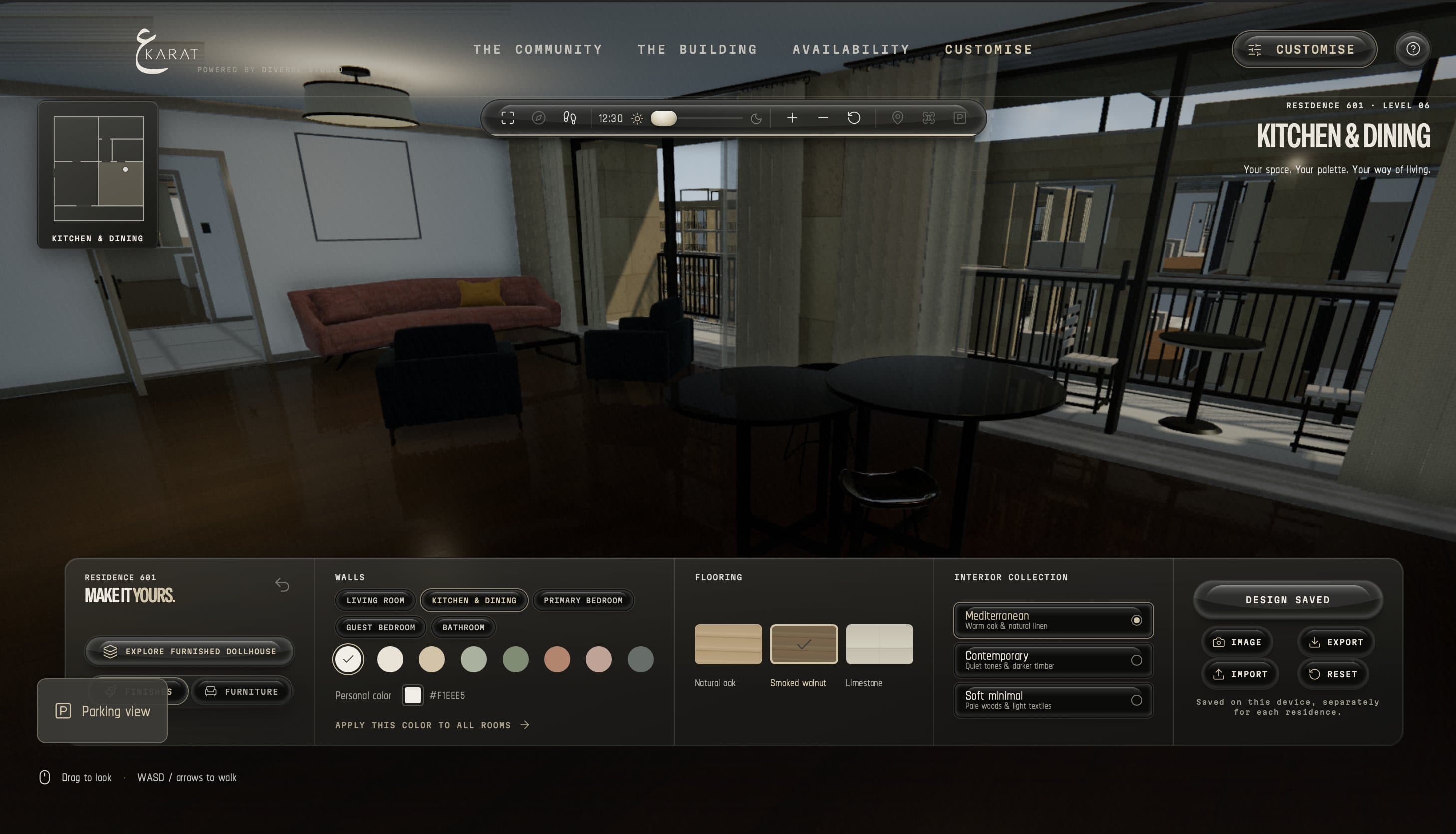
Step inside and walk through the home. Change wall colors, flooring and furniture collections, and every design is saved.
A clearer path to early sales
Selling before completion supports project cash flow. Buyers need a clear understanding of what they are choosing.
The challenge
Many serious buyers cannot visit a construction site.
The Akarat experience
Buyers explore and choose their apartment from anywhere.
The challenge
Static renders cannot show every space, view or finish.
The Akarat experience
Explore the exact unit, the view from its floor and a personalized interior.
The challenge
Sales teams cannot easily tell which leads are serious.
The Akarat experience
Tracked links show visits, time spent and the units buyers viewed.
For your sales team
Available alongside the 3D sales system
Tracked client links show who opened the link, how long they stayed and which units they viewed.
A Request Viewing button sends leads straight to the sales team.
Mark units as sold or reserved in an admin panel. The 3D model updates instantly.
Automate instant replies, reminders to follow up and alerts when a buyer revisits a unit.
VR ready
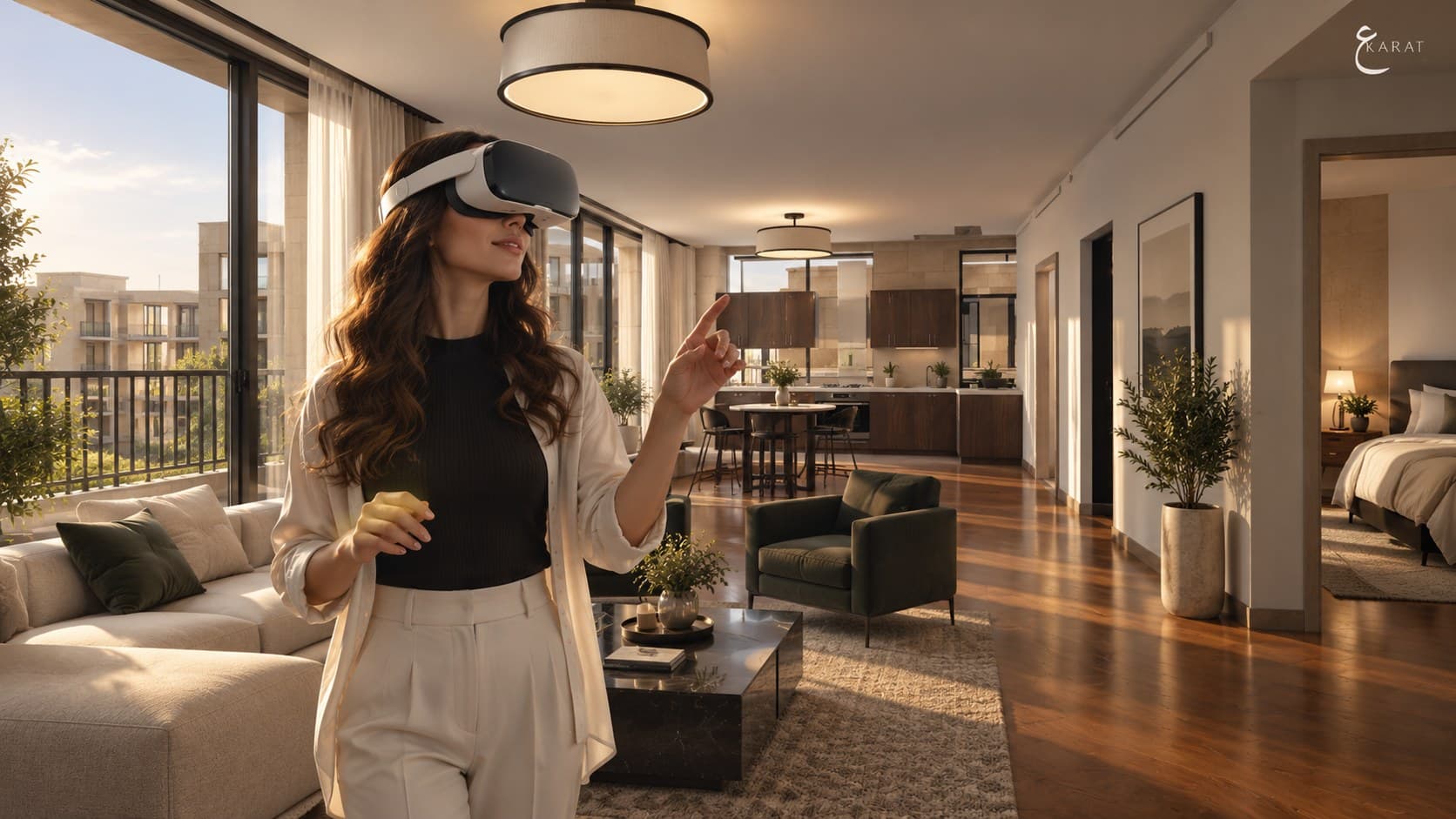
We install a touchscreen kiosk running your project in your sales office, with an optional VR station so visitors can walk through their future home in person.
Sync with the developer's sales system, including live reservations.
See the difference
Static renders, 360° tours and Akarat at a glance.
Swipe the table to compare all three options.
| Capability | Static renders | 360° tours | Akarat |
|---|---|---|---|
| Works before construction | Yes | No | Yes |
| Fully interactive | No | Limited | Yes |
| Customizable interior | No | No | Yes |
| Shows real surroundings | Fixed view | No | Yes |
| Live availability | No | No | Yes |
| Lead tracking | No | No | Yes |
| VR support | No | Limited | Yes |
Interactive. Before it
exists.
Get started
From your plans to a live project in one to two weeks.
We learn your project and how you sell.
Send plans, the unit list, finishes and location.
We create the 3D model and review it with you.
One round of revisions on units and finishes.
Your team is trained. You start sharing.

Scan to visit
Diverse Studio